
 Bitcoin
 Ethereum
 Solana
 TRON
TRON Base
Base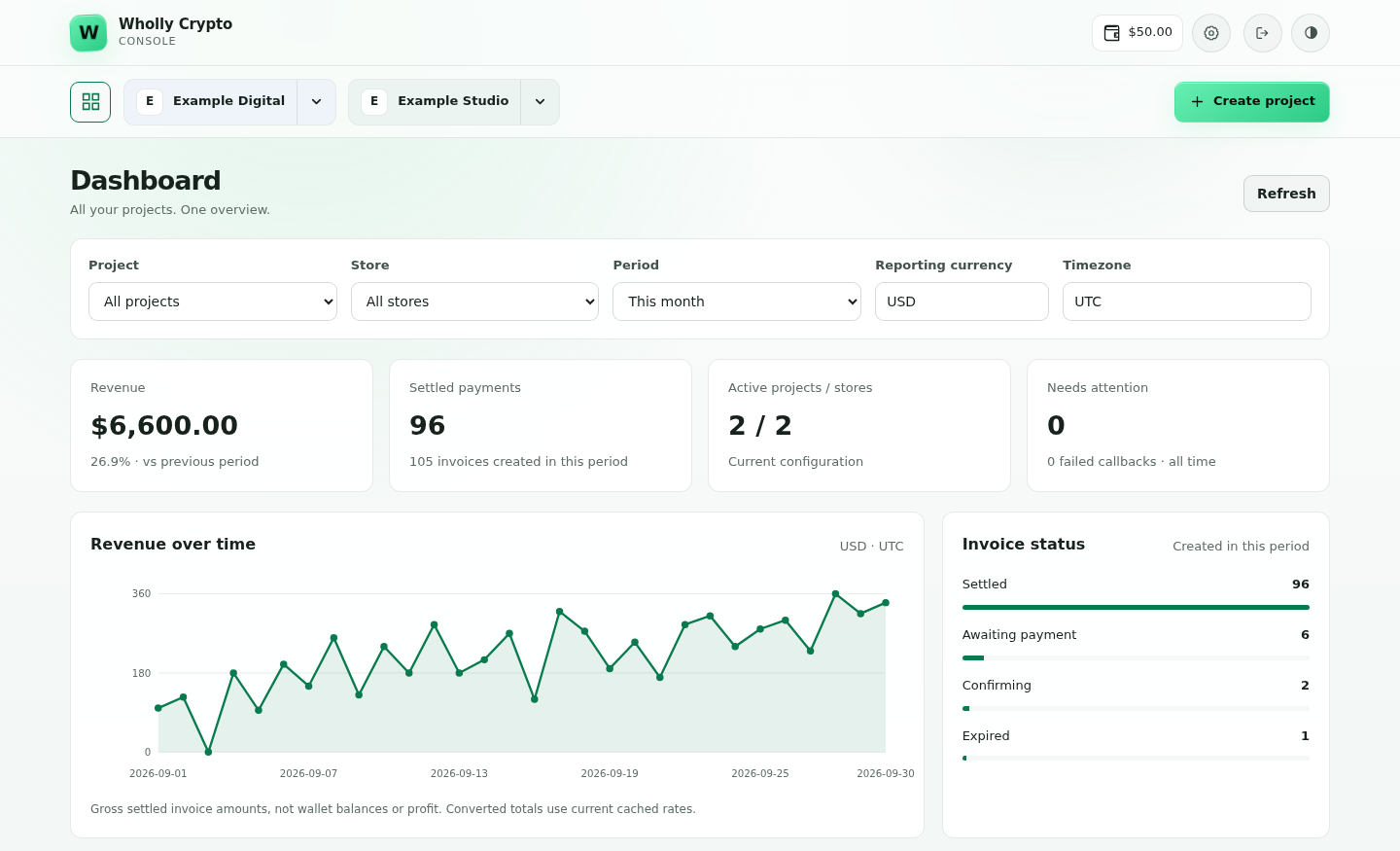
SELF-HOSTED. NON-CUSTODIAL. MULTI CRYPTOCURRENCIES.
Self-Hosted Crypto Payment Processor
Accept crypto on your server. Payments go straight to your wallets.
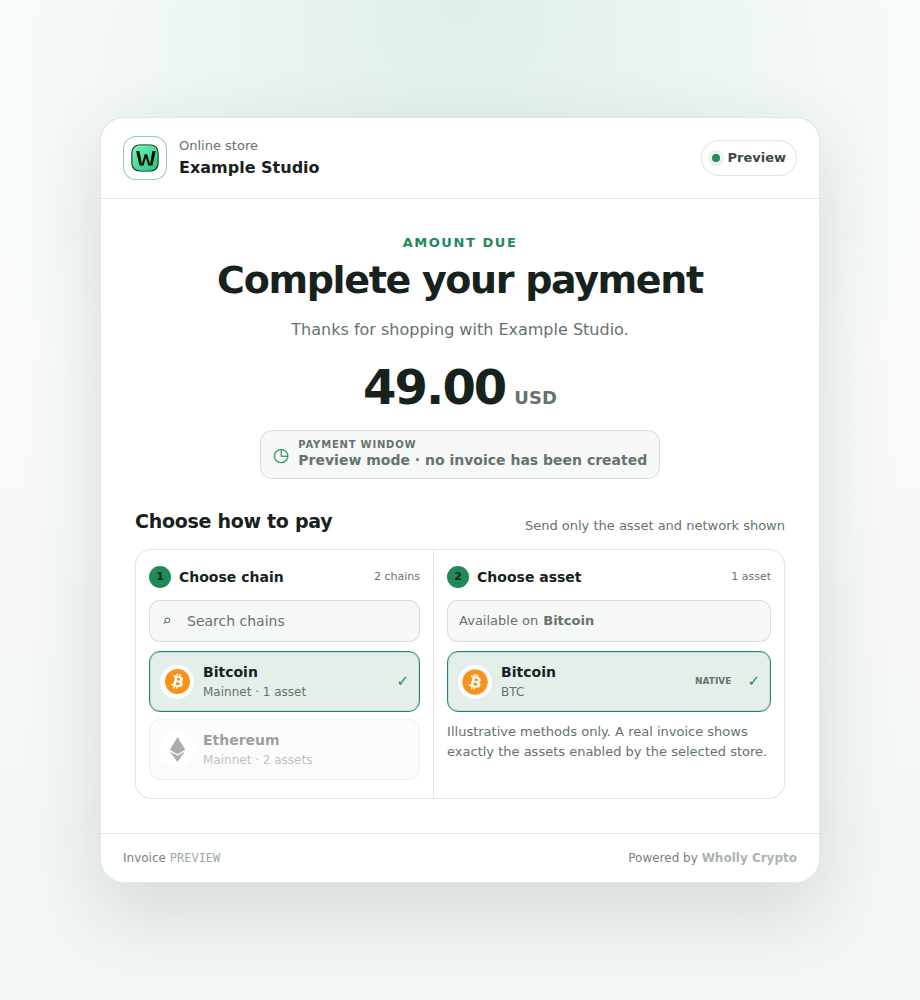
No-KYC Crypto Payment GatewayAcme StudioOrder #1042Preview
Complete your payment$49.00 USD
Choose how to pay
Powered by  whollycrypto
Straight to your walletNo custodial holding account.
Demo · no real payment
Install Wholly Crypto.
Choose your own domains. merchant.*, pay.* and api.* are the defaults.
- Minimum · light use
- 1 vCPU · 2 GB RAM · 20 GB SSD
- Recommended
- 2 vCPU · 4 GB RAM · 60 GB SSD
For a minimal Linux server image; your distribution may need more. Full VPS requirements
- Docker · light use
- 2 vCPU · 4 GB RAM · 30 GB SSD
Leave room for images, payment history and backups. Docker requirements
Install Wholly Crypto
bash <(curl -fsSL https://releases.whollycrypto.com/setup_wholly.sh)Inspect installer Update later with
whollycrypto updateLinux amd64 / x86-64, Bash and curl. Setup offers to install Python 3.9+, Git, Docker Engine and Docker Compose.
bash <(curl -fsSL https://raw.githubusercontent.com/whollycrypto-com/whollycrypto-docker/v1.1.1/install.sh)Docker guide Update later with
/root/whollycrypto-docker/whollycrypto-docker updateRun as root on a fresh, dedicated VPS. Do not use your existing website server.
Keep TCP ports 80/443 open in your VPS and hosting firewall. If you use Cloudflare, keep the proxy off (DNS-only) during installation. Once installation and domain validation are complete, you can turn the Cloudflare proxy back on.
Payments, in one place.
Checkout, wallets and invoices for every store.
Your branded checkout.
Choose your logo, colors, language and payment methods.
Keep crypto or convert it.
Customer funds arrive in your wallets. Optionally send to Kraken, Binance or Coinbase and convert there.
Explore exchange conversion →Payment tracking.
Track confirmations and review exceptions in one queue.
One checkout. Several vendors.
Split Bitcoin and supported EVM payments, retain your commission and approve vendor payouts.
Explore MarketplaceEasy integration.
Create invoices manually or through the API. Receive signed notifications.
AUTOMATIC EXCHANGE
Accept crypto. Convert automatically.
Turn supported crypto payments into USD, EUR, GBP or other available fiat currencies through your own exchange account. Prefer crypto? Keep it or choose another supported coin.
- Kraken
- Binance
- Coinbase
Receive in your wallet
Customer payments arrive in your merchant-controlled wallets first.
Send to your exchange
Choose an exchange route and a minimum balance for each chain and token in Sweep.
Convert the credited deposit
A market order converts a matched deposit using your selected trading pair.
USDEURGBP
Available currencies depend on supported direct markets, deposit networks and your exchange account. Exchange custody, KYC, trading minimums and fees apply. Fiat stays on the exchange; bank withdrawals are separate.
AI CONNECTIONS · MCP
Your payments. Your AI assistant.
Search invoices, check balances and create payment links through your own server.
Connect your assistant
Use your merchant API domain’s MCP endpoint. Nothing extra to install.
Choose its access
Approve selected projects. Start read-only and allow invoice creation when you need it.
Keep keys out of chat
No wallet-secret exports or money-sending tools. Revoke a connection in your console.
Get started in three steps.
Install on your VPS
One command installs the app and its dependencies.
Activate and set up
Your credit account activates automatically. Create a store, back up wallets and choose payment methods.
Activation guide →Create. Share. Get paid.
Use your welcome credit, create an invoice and share its checkout.
Choose your setup
30 networks. More ways to pay.
Native coins, plus verified EVM and Solana tokens.
Browse payment networks →
![]() AlgorandALGO
AlgorandALGO![]() AptosAPT
AptosAPT![]() ArbitrumETH
ArbitrumETH![]() AvalancheAVAX
AvalancheAVAX![]() BaseETH
BaseETH![]() BitcoinBTC
BitcoinBTC![]() Bitcoin CashBCH
Bitcoin CashBCH![]() BNB ChainBNB
BNB ChainBNB![]() CardanoADA
CardanoADA![]() CosmosATOM
CosmosATOM![]() DashDASH
DashDASH![]() DogecoinDOGE
DogecoinDOGE![]() EthereumETH
EthereumETH![]() HederaHBAR
HederaHBAR![]() HyperliquidHYPE
HyperliquidHYPE![]() KaspaKAS
KaspaKAS![]() LitecoinLTC
LitecoinLTC![]() MoneroXMR
MoneroXMR![]() NEARNEAR
NEARNEAR![]() OptimismETH
OptimismETH![]() PolkadotDOT
PolkadotDOT![]() PolygonPOL
PolygonPOL![]() SolanaSOL
SolanaSOL![]() StellarXLM
StellarXLM![]() SuiSUI
SuiSUI![]() TezosXTZ
TezosXTZ![]() TONTON
TONTON![]() TRONTRX
TRONTRX![]() XRP LedgerXRP
XRP LedgerXRP![]() ZcashZEC
ZcashZEC


Top tokens, by network.
Ethereum token examples. Browse more networks below.
Verified token payments · choose accepted assets in your store.
 TetherUSDT
 BNBBNB
 USDCUSDC
 USDSUSDS
 ChainlinkLINK
 WhiteBIT CoinWBT
Source: CoinGecko
YOUR TOKEN. YOUR CHOICE.
Accept custom tokens, too.
Add a supported token contract to your store. You don’t have to wait for a catalog listing.
Available for supported EVM and Solana tokens. Contracts are checked before use; not every token or market is supported.
Build your payment flow.
Create invoices. Open checkout. Receive signed payment updates.
Explore the API create-invoice.sh
# Use your own API host, IDs and bearer token
curl -X POST \
  "https://api.yourdomain.com/v1/projects/$PROJECT_ID/stores/$STORE_ID/invoices" \
  -H "Authorization: Bearer $API_TOKEN" \
  -H 'Content-Type: application/json' \
  -H 'Idempotency-Key: order-1042' \
  -d '{
    "amount": "49.00",
    "currency": "USD",
    "order_id": "1042",
    "ipn_url": "https://yourdomain.com/ipn"
  }'
POST /v1/projects/{project_id}/stores/{store_id}/invoices
A small fee. Ongoing progress.
The default 1% funds ongoing development, security improvements and maintenance across supported networks.
- Add processing credits. Top up separately with crypto. New installations automatically receive a one-time $10 welcome credit after admin signup.
- Get paid into your wallets. Customer payments go directly to your merchant-controlled addresses. The billing service does not receive your wallet keys.
- Pay as invoices settle. The fee comes from your credits, based on the invoice’s original fiat value. See every charge in Settings → Fees.
At 1%, a $100 invoice uses $1 of credit. Your on-chain payment is not split with us.
Low credits never block customer payments.
You can still create checkouts and receive funds.
IPN, webhooks, Sweep, new exchange conversions, new projects/stores and installing new versions pause until your processing balance recovers.
Update checks, backups and recovery stay available. Fees continue to accrue. How degraded mode works →
Default processing feePrepaid credits
1%
Based on the invoice’s fiat value.
Your assigned rate applies. Network fees and server costs are separate.

CryptoTraveler
Book hotels, flights and travel eSIMs with crypto.
cryptotraveler.com
Blacktel
Virtual phone numbers, calls, SMS and travel eSIMs.
blacktel.io
Verifyr
Manage team 2FA requests and authentication workflows.
verifyr.comUsing Wholly Crypto? Become a supporter merchant and get listed.Contact us
Questions?
Read the documentationWhat is Wholly Crypto?
Self-hosted software for crypto invoices, checkout and payment tracking. Runs on your VPS, with your wallets.
What does non-custodial mean here?
Customer payments go to your wallets. Hot-wallet keys stay on your VPS: secure the server and keep private backups. Processing credits are separate.
What if my processing credits run out?
You still receive payments. Checkout, invoice creation, blockchain monitoring, confirmations, dashboard statistics and wallet backups stay available. Paused: IPN and webhooks; automatic sweeps, manual sends, gas funding and refunds through Sweep; new exchange conversions; creating new projects or stores; and installing new Wholly Crypto versions. Update checks, backups and recovery stay available. Existing projects and stores remain editable. Fees still accrue. Top up to clear a negative balance and restore usable credit; retained notifications and enabled automation resume after verification. Updates require a verified balance above zero. Fee-free accounts have no credit restrictions. Account suspensions and failed billing verification are separate security restrictions. Full degraded-mode guide →
Do I need to run blockchain nodes?
No. Connect external providers or your own remote nodes. Reliable payment tracking needs independent, healthy fallbacks. Public endpoints have rate limits.
Which coins and tokens can I accept?
Native coins on 30 networks, verified ERC-20 tokens on supported EVM chains, and verified SPL tokens on Solana. Your store shows ready methods. Monero needs a view-only wallet connection; native EVM payments use direct transfers. Setup guide →
Can I price my invoices in USD or EUR?
Yes. Set a fiat price and checkout calculates the crypto amount. You receive crypto, not an automatic bank conversion.
What happens if a customer pays too little or too late?
Checkout shows any remaining amount. Review underpaid, overpaid and late invoices in Needs attention. Refunds require a separate, confirmed transfer on a supported chain.
What do I need to install it?
A fresh Linux VPS supported by the installer, root access and DNS records for merchant.*, pay.* and api.*. No Docker required. See minimum and recommended VPS sizes. Back up wallets, top up processing credits and test payments before going live.